College Management System in C# with Full Source Code
College Management System in C# with Full Source Code...

College Management System in C# with Full Source Code
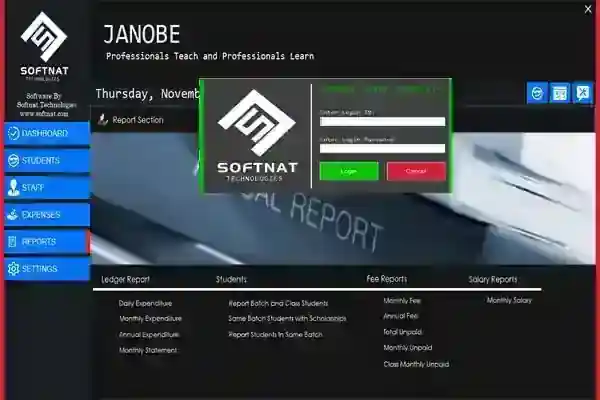
College Management System in C# with Full Source Code The College Management System is an automated system that is developed using C# and SQL Server. This College Management System in C# has a user friendly design that contains an admin who has the full control in all of the features and functions. The main purpose of this College Management System in C# is to give convenience to both staff and student in settling their fees and checking of the student’s attendance. About the College Management System in C# with Full Source Code. This automated College Management System in C# can be a great help to colleges and higher education in managing efficiently activities such as fee, exam, student attendance, records and many more. With the use of, College Management System in C# you can surely achieve the goal of becoming a successful organization. In this College Management System in C#, the admin has the ability to view student management section and it is where all the information of a student is encoded. He can view Staff Management Section; encode there their personal information together with their designation and employee status. He can also view Expenditure Section and this can generate Reports. While on the Application Settings the admin can add exam fee, fine, annual fund, admission fee and many more. This College Management System in C# uses the CRUD, the four basic functions in computer programming which are Create, Read, Update and Delete. These are the following features of the College Management System in C# with Full Source Code. Dashboard
Add Student Modify Students Generate Class Pay Fee Manage Attendance Class Attendance View All Attendance Print Profile Qualification Manage Batch Manage Classes Add Staff Modify Staff Delete Staff Pay Salary Qualification Profile Manage Expenses Generate Reports Settings
Download and install the following system requirements:
SQL Server Management Studio Microsoft Visual Studio 2015
How to setup the College Management System in C# with Full Source Code
Download the zip file. Download and install SQL Server Management Studio Extract the downloaded zip file (college) Open the SQL Server Management Studio Connect as a Windows Authentication Right click the database Click Attach Click Add and find the database file (COLLEGE.mdf) inside the college folder Click ok
How to run the College Management System in C# with Full Source Code
Open the folder college and click college.sln to open the system. Click the Server Click Connect to Database Add Connection Change the connection to Microsoft SQL Server Choose your server name and select the database name that you attach in the SQL Server Management Studio Click ok After that, press F5 to run the system
Accessing admin accounts Username: 123 Password: 123 This College Management System in C# with Full Source Code is for educational purposes only. You can download it as a reference and expand your knowledge in making a system. You can freely modify it, according to your desire.
Screenshots
Download Project
