Enrollment System in C# and MySQL Database with Source Code
If you are looking for an Automated Enrollment System, well this one is just right for you. This Enrollment System has the capability of reducing the ...

Enrollment System in C# and MySQL Database with Source Code
If you are looking for an Automated Enrollment System, well this one is just right for you. This Enrollment System has the capability of reducing the time and effort in the entire enrollment process. Mean to say, this can solve the school’s lack of manpower and time-consuming system. With the help of this system, you can also eliminate unnecessary paperwork, this has brought a new level of the enrollment transaction because it is quick and automated. The said system is a convenient way of retrieving and storing student information made easy and for future use. This Enrollment System was developed using C# and MySQL database. The source code is free to download. Feel free to modify the source code the way you desire. To know more about this project, please continue reading below. These are the following features of the system Students
Register New Student List of Students
Enrollment
Enroll Students List of Enrolled Students Print Student Enrolled Subjects
Subjects
Add New Subject List of Subjects
Maintenance
Manage School Year Manage Level Manage Section Per Level
Reports
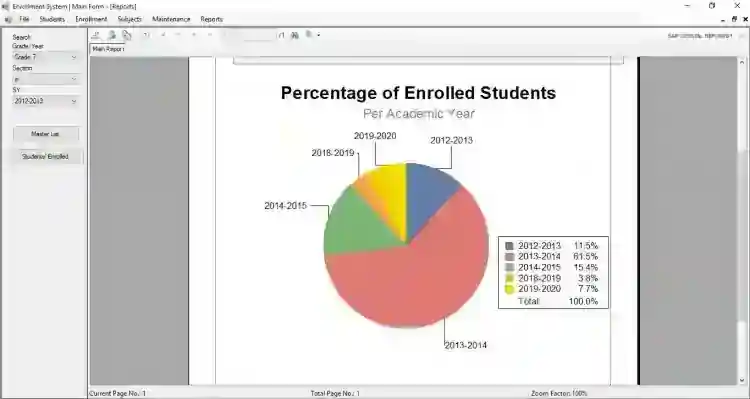
Print Master List Print Analytics Reports
Manage Users
Login and Logout
How to Run Requirements: Download and install the following:
xampp latest version mysql-connector-net mysql-connector-odbc Microsoft Visual Studio 2015 or later version (recently tested using VS 2019 Community) SAP Crystal Reports
Installation/Setup
Download and Extract the provided source code zip file. (download button is located below) Open your XAMPP's Control Panel and start the "Apache" and "MySQL". Locate the provided SQL database file in the source code folder. The file is known as "dbenrolment.sql". Open a browser and browse the PHPMyAdmin. i.e. http://localhost/phpmyadmin Create a new database naming "dbenrolment". Import the SQL file in your newly created database. Locate the Solution file in the extracted source code folder. The file is known as "EnrollmentSystem.sln" Open the solution file with your MS Visual Studion Software. Press the "F5" key on your keyboard to run this Enrollment System Project
Access this system using the admin accounts: Username: admin Password: admin Demo
That's it! I hope this Enrollment System using C# and MySQL Database Project will help you with what you are looking for. Explore more on this website for more free source codes and tutorials. For more information about the system. You can contact me @ Email – [email protected] Mobile No. – 09305235027 – TNT FB Account – https://www.facebook.com/onnaj.soicalap Or feel free to comment below. Happy Coding :)
Screenshots
Download Project
