MS Access 2010/2007 database to manage SQL Server scripts
This application allows the user to manage SQL Server scripts. It also allows the user to place SQL Server .SQL scripts in a "Run Once" Windows folder or in a general "Run Whenever" Windows folder. T...
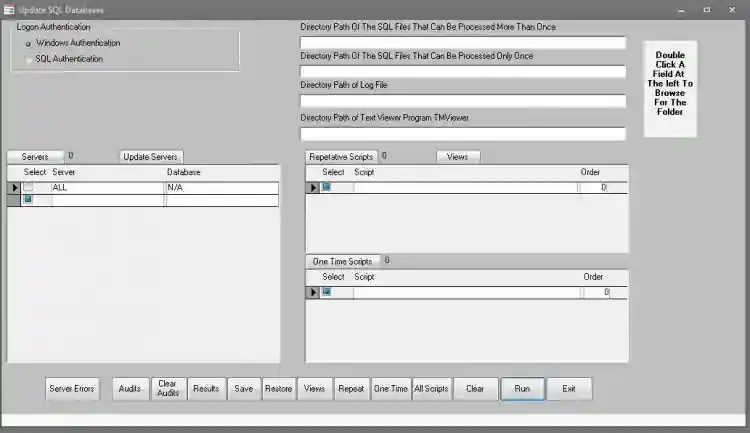
MS Access 2010/2007 database to manage SQL Server scripts
This application allows the user to manage SQL Server scripts. It also allows the user to place SQL Server .SQL scripts in a "Run Once" Windows folder or in a general "Run Whenever" Windows folder.
The scripts can be prioritized so they run in a specific order, if necessary.
The program works with Windows Logon as well as SQL Server Logon.
The code was written using MS Access 2010 but I tested it using MS Access 2007 and it seems to work as well. I did not do an exhausting test in MS Access 2007.
There is another program called TextMaker Viewer 2010 that should be installed. It allows the user to view the Log Files from the program. The log files are created in Windows Folders. You can get it at http://www.officeviewers.com/. This is a FREE program.
Uncheck ALL associations so this program does not become the main program to view them unless you want it to be.
I would have included it in the zip file but then the file would exceed the 2 MB limit.
There is a user document file included in the zip file.
Screenshots

Download Project
