Connect Four (Multiplayer Game) Using Pygame in Python
The Connect Four (Multiplayer Game) is an interactive desktop application built entirely with Python using the Pygame library. The gameplay is simple ...

Connect Four (Multiplayer Game) Using Pygame in Python
The Connect Four (Multiplayer Game) is an interactive desktop application built entirely with Python using the Pygame library. The gameplay is simple yet engaging, where two players take turns placing their pieces, aiming to be the first to form a line of four — horizontally, vertically, or diagonally. The Connect Four (Multiplayer Game) Using Pygame offers fun and immersive gameplay that requires players to think strategically and anticipate their opponent’s moves. This project is an excellent opportunity to reinforce essential programming concepts such as event handling, user input management, and game logic, making it a valuable exercise for improving your Python skills. The Connect Four (Multiplayer Game) Using Pygame in Python is free to be downloaded just read the content below for more info. This application is for educational purpose only. Connect Four (Multiplayer Game) Using Pygame Basic Information
Language used: Python Coding Tool used: Built-in Python IDLE Type: Desktop Application Database used: None
About Connect Four (Multiplayer Game) Connect Four (Multiplayer Game) Using Pygame is an interactive desktop application developed using Python and the Pygame library. This classic board game adaptation allows two players to compete against each other by taking turns to drop colored discs into a vertically standing grid with six rows and seven columns. The goal is to be the first to form a line of four consecutive discs in any direction—horizontally, vertically, or diagonally—while also blocking the opponent from doing the same. The game features a user-friendly interface with vibrant visuals, intuitive controls, and responsive gameplay. It also incorporates sound effects and visual highlights to indicate winning combinations, making the overall experience more immersive. This project serves as a fun and educational example of how traditional games can be recreated using Pygame, combining logic, strategy, and coding principles in one engaging application. Connect Four (Multiplayer Game) Using Pygame Features
Two-Player Turn-Based Gameplay
Alternating turns between Player 1 and Player 2. Each player is assigned a unique color disc (e.g., Red vs. Yellow).
Interactive Grid System
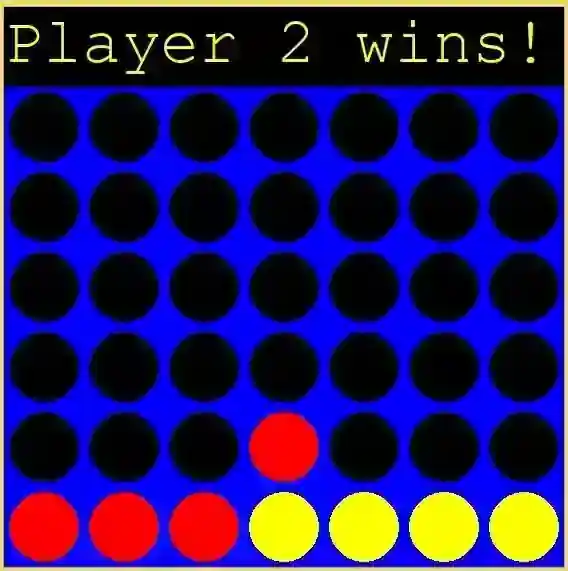
A 7-column by 6-row game board is displayed. Players click on the desired column to drop their disc into the lowest available slot.
Draw Game Handling
Recognizes when the board is full and no player has won—declares a draw.
Sample Application Screenshot:
Connect Four (Multiplayer Game) Using Pygame in Python Installation Guide
First you need to download & install the Python IDLE's, here's the link "https://www.python.org/downloads/". Download the source code in this site. Locate and Extract the zip file. Open the extracted folder Locate the py file. Then open the file via python IDLE or any IDE that supports python language. Run the py file to launch the program.
That's all, The Connect Four (Multiplayer Game) was created fully functional using JavaScript language. I hope that this project can help you to what you are looking for. For more projects and tutorials please kindly visit this site. Enjoy Coding! The Connect Four (Multiplayer Game) Using Pygame in Python is ready to be downloaded just kindly click the download button below. Related Projects & Tutorials Connect Four (Multiplayer Game)
Screenshots



Download Project
