Simple College Management System using C# with Source Code
The idea of developing the “College Management System” project has come to our mind when we go to the College of computer education where we see that ...

Simple College Management System using C# with Source Code
The idea of developing the “College Management System” project has come to our mind when we go to the College of computer education where we see that the data is handled manually in the form of files. This is an attempt to create a project “College Management System” through which will show all the working of College will be automated. It can be used both in top-level and bottom-level management for daily operation. All the facilities for retrieving like student information, teacher’s information, fees management will be added, deleted, updated and saved in the project i.e. when a new student will come for admission all the information regarding the student will be filled in which course he will have submitted, submitted the fees, attendance chart, teacher’s or non-teaching staff information. We can easily see and maintain that how many students are in the College, how many courses etc. System Development Software resources used
Front End Design: Microsoft Visual Studio 2010, 2012 Back End: Microsoft SQL Server 2008, 2012. Code-Behind Language: C# Other Requirement: .Net Framework 4.0,4.5
Hardware resources used
Windows XP, 7, 8, 8.1, or Above OS Client-side: Pentium IV Computer
Features
Login/Logout Manage Semester Manage Fees Manage Student List Manage Courses Manage Subjects Manage Teachers Manage Student Attendance Manage Teacher's Attendance Manage Student's Fee Manage Teacher's Schedule Generates Reports Backup and Restore Database
How to Run Requirements: (refer to software used for the versions)
Download and Install Microsoft Visual Studio Software Download and Install Microsoft SQL Server
Installation
Download and Extract the provided source code zip file. ( download button is located below) Open your Microsft SQL Server Management Software. Restore the Backup Database provided. The backup file is known as "College_1_3_2017.bak" located inside the "Database Backup" folder. Open the "CollegeManagementSystem.sln" file with your Visual Studio Software. Configure the Database credentials in "Global.cs". Press the "F5" key on your keyboard to run the project.
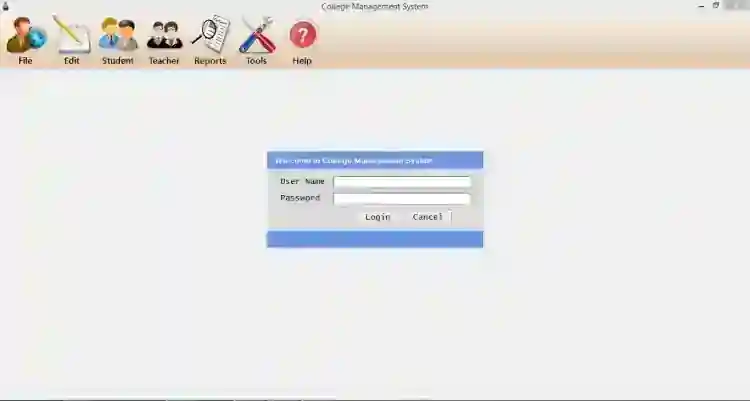
Admin Credentials Username: Admin Password: admin DEMO
That's it! I hope this College Management System Project in C# and MS SQL Database will help you with what you are looking for. Enjoy :)
Screenshots
Download Project
