Skip to content
XREFS0 LogoXREFS0
Tutorials
About Us
Contact Us
Tutorials
Source Code
C#PHPVisual BasicPythonC/C++Microsoft AccessDelphi
Reverse Engineering
ToolsExplanations
E-Marketing
ToolsCoursesData Client
About UsContact Us
XREFS0

Tech tutorials, reverse engineering & source code — everything developers need in one place.

Quick Links

  • Home
  • About
  • Tutorials
  • Source Code
  • Reverse Engineering
  • E-Marketing

Legal

  • Privacy Policy
  • Terms of Service
  • Disclaimer
  • DMCA
  • Content Removal
  • Report Link
  • FAQ

Stay Connected

Subscribe for the latest tutorials and tools directly.

Join Telegram Channel

© 2026 XREFS0. All rights reserved

Made with ❤️ for Arab developers

  1. XREFS0
  2. Source Code
  3. C#
  4. Tetris Game using C# WPF with Source Code
Project
2026-07-2914,409

Tetris Game using C# WPF with Source Code

About...
Tetris Game using C# WPF with Source Code
C#Source CodeFree

Tetris Game using C# WPF with Source Code

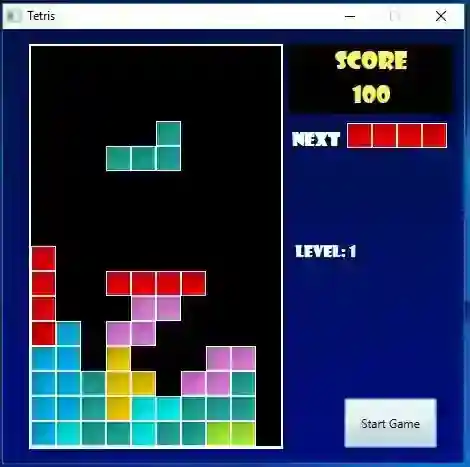
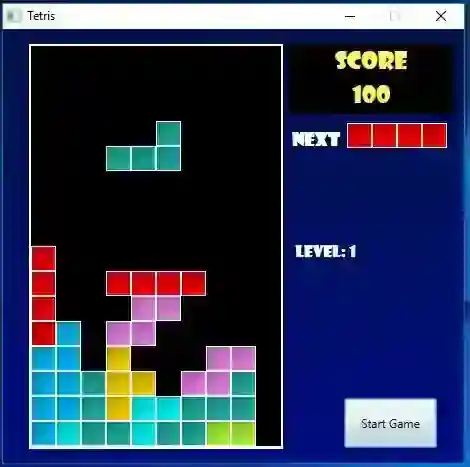
About This Tetris project is a simple single-player game developed in Visual Studio using C# language and (WPF) Windows Presentation Foundation UI Framework. The Tetris works like some other Tetris game applications which is the goal of the player is to destroy a line/lines of blocks to prevent square/boxes block reach the top. The blocks can also be rotated and sprint dropping. Download the source code and learn how it was made or developed and hopefully by sharing this source code, will help you to enhance your knowledge in developing a video game using C# and WPF. How to Play

Click "Start Game Button" to start the game.  To rotate the block press "Arrow Up Key" on your keyboard. To change the dropping direction of the block, press "Arrow Left Key" or "Arrow Right Key" on the keyboard. To Stop, Pause, or Continue the game, just click again the button you have clicked to start the game.

How to run the Tetris Game

Download and Install Microsoft Visual Studio 2015 or higher. Download and extract the Source Code. (Download button is located below) Locate the extracted file and open the Tetris.sln file with your Visual Studio. Press "F5" key on your keyboard.

That's it you can now enjoy the Tetris video game. This project is for educational purposes only and I hope this will help you with what you are looking for. Demo

Enjoy Coding :)

Screenshots
Screenshot 1

Download Project

Download Tetris Game using C# WPF with Source Code
14.4K views
1.3K DOWNLOADS
FacebookTweet This
1.7K
Back to C#

Related Projects

Alumni Information System in C# with Full Source Code

Alumni Information System in C# with Full Source Code...

2026-07-29

Automated Teller Machine (ATM) System in C# and MS Access with Source Code

This is an Automated Teller Machine (ATM) System programmed through C# and MS Access as database that I used. The program can manage the client's Bala...

2026-07-29

Bakery Inventory System Using C# and MS Access DB Free Source Code

Introduction...

2026-07-29
