Curriculum Evaluation System using VB.NET with Source Code
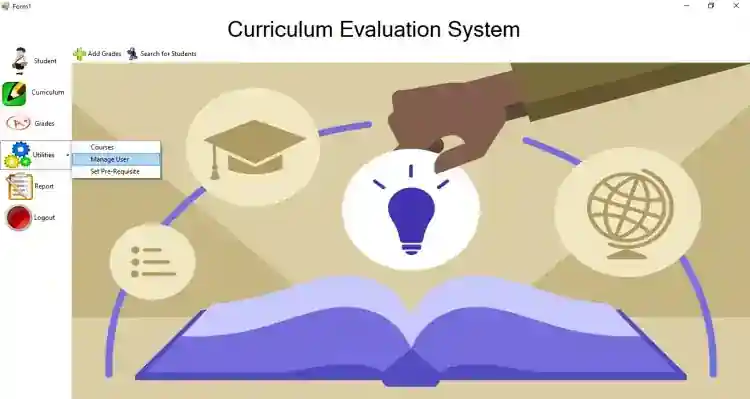
This VB.NET and MySQL Database Project is entitled Curriculum Evaluation System. It is a user-friendly system that aims to help the school staff or admin reduce their time in evaluating a student. Thi...
Curriculum Evaluation System using VB.NET with Source Code
This VB.NET and MySQL Database Project is entitled Curriculum Evaluation System. It is a user-friendly system that aims to help the school staff or admin reduce their time in evaluating a student. This contains accurate information of enrolled students with their responding grades in every subject that they have taken in that semester. The admin can easily determine the pre-requisite of a student. It also provides reports to view the curriculum based on their course.
This project is free to download. Feel Free to download and modify the source code the way you desire. You might find something useful from this project and learn something for your own projects.
Features
Student
add Student
Edit Student
Delete Student
List of Student
Search for Student
Grades
Add Grades
Determine Pre-Requisite
View Student Grades
Subject to be Enrolled
Print Student Grades
Curriculum
Add Curriculum
Update Curriculum
Delete Curriculum
List Curriculum
Utilities
Manage Users
Set Pre-Requites
Manage Courses
Report
Print Curriculum in every Course
Print List of Student
Login and Logout
How to Run
Requirements:
(Download and install the following:)
xampp latest version
mysql-connector
mysql-connector-odbc
Microsoft Visual Studio 2015 or higher versions
SAP Crystal Reports
Setup/Installation
Download and Extract the provided source code zip file. (download button is located below this article)
Open Your XAMPP's Control Panel and Start the "MySQL" for the database and "Apache" so you can use PHPMyAdmin to import the SQL file.
Locate the provided database SQL File along with the source code. The file is known as "curriculumdb.sql".
Open a browser and browse the PHPMyAdmin. i.e. http://localhost/phpmyadmin
Create a new database naming "curriculumdb".
Import the SQL file provided in your newly created database.
Locate the project's solution file in the extracted source code folder. The file is known as "CurriculumEvaluationSystem.sln".
Open the solution file with your MS Visual Studio software.
Configure the database connection string according to your database credentials. The file is known as "connection.vb" inside the "include" folder.
Press the "F5" key on the keyboard to run the project.
Admin Access
Username: admin
Password: admin
Demo
That's it! I hope this Curriculum Evaluation System that was developed in VB.NET and MySQL Database project will help you with what you are looking for. I hope you can learn from this project for your future VB.NET Project.
Enjoy :)
For more information about the system. You can contact me @
Email – [email protected]
Mobile No. – 09305235027 – TNT
FB Account – https://www.facebook.com/onnaj.soicalap
Screenshots

Download Project
